01 / FRAMING
Level. Balanced.
Level guides and a grid
give the frame a clear reference.
BETTER PHOTOS. MORE YOU.
A new shooting experience for iPhone
For the person taking the photo and the person in it.
Less explaining. More natural moments.
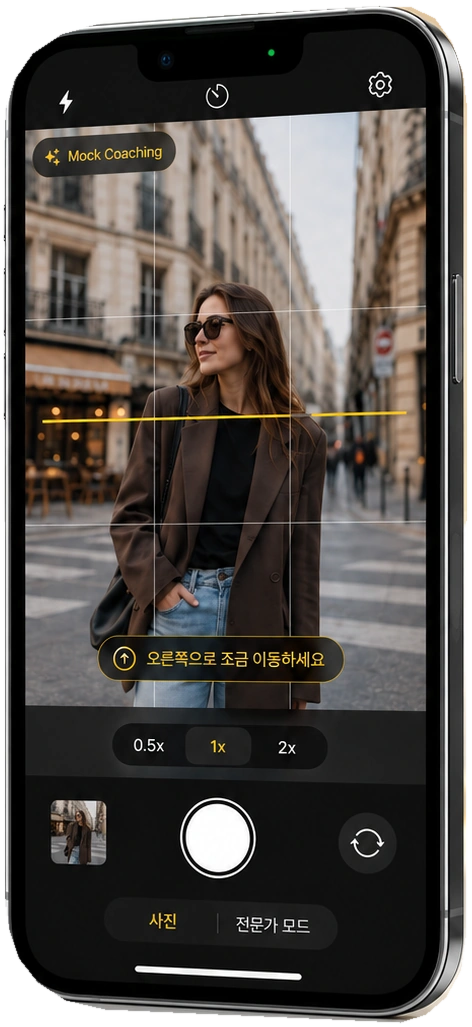
From the moment you ask someone to take a photo
A little to the right. Keep it level.
One useful cue instead of a long explanation,
designed to make taking photos together feel easier.
ONE STEP AT A TIME Guide in development
Adjust the frame, not the person.
We are building a shooting flow that suggests
one action at a time.
Select a step to preview how the guidance changes.
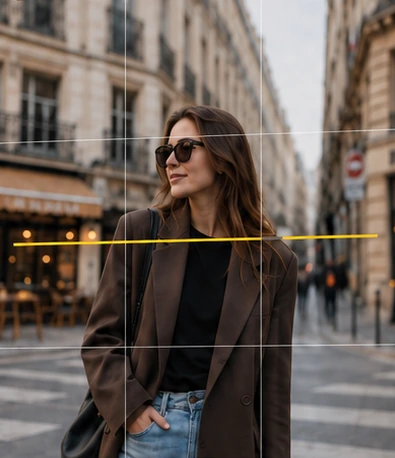 Guide preview
This is a web simulation. It does not request camera access or analyze photos.
Zoom controls crop the sample image and do not reproduce real lens switching.
THE CAMERA ESSENTIALS
Camera fundamentals first.
The controls you need stay close at hand.
Level guides and a grid
give the frame a clear reference.
Simple lens and zoom controls.
Adjust the view to fit what you want to include.
From camera switching to a timer.
Useful controls stay close.
These are camera-foundation features. Lens, zoom and flash availability varies by device and camera; supported configurations will be specified at release.
A LITTLE MORE CONTROL
Switch to Pro mode only when you need it.
Adjust the smaller differences in light and color
to match how you want the scene to feel.
EXPERT MODE / UI PREVIEWSensitivity
Adjust ISO sensitivity to match the available light.
This is an interactive preview of the settings UI. Image effects do not reproduce real optical or exposure behavior.
PEOPLE FIRST. ALWAYS.
Short framing cues instead of appearance scores.
We are designing around people before technology.
The design principle is not to rate appearance, body shape or facial attractiveness. Guidance is aimed at camera position and framing, not the person.
We are targeting guidance that works without an account or internet connection, while also validating a design that does not separately retain preview frames used for analysis.
Text and direction on screen, VoiceOver and haptics. We plan to validate that each channel communicates the same meaning clearly.
BUILT WITH CARE
Start with what works,
then expand only as far as we have validated.
Core camera flows are in place, including capture and saving, lens and zoom controls, and Photo/Pro modes.
Based on the provided development documentationStarting with single-person full-body and three-quarter portraits, we are testing the usefulness and stability of rule-based guidance.
Usability and performance validation not yet completeBroader scenes and model improvements will be considered after the current scope proves useful and the relevant data rights are confirmed.
Release feature set and timing not finalizedPhotos are illustrative examples and do not guarantee results from the app. Release date, pricing, supported devices and final features have not been finalized.
A FEW MORE THINGS
Here is what we can
share at this stage.
LET THE MOMENT BE YOURS.
See what AI Assisted Camera is building for the next moment.